
Paste a snippet, change one line, and see the result right away. That is the real value of an html editor and preview online. It removes setup time, cuts out unnecessary steps, and helps you check code in the same browser where the final page will be viewed.
For a lot of users, that speed matters more than advanced features. If you are updating an email block, testing a landing page section, cleaning up copied HTML, or checking whether a list, table, or heading renders correctly, you probably do not need a full development environment. You need a fast workspace that lets you edit and verify output without switching tools.
What an HTML editor and preview online actually solves
The biggest problem is not writing HTML. It is the small friction around it. Opening a desktop editor, creating a file, saving it, and loading it in a browser is not hard, but it is slower than most quick tasks require.
An online editor with live or near-live preview shortens that process. You enter code in one panel and view the rendered result in another. That makes it easier to catch broken tags, missing closing elements, extra spacing, and layout issues before the code goes anywhere else.
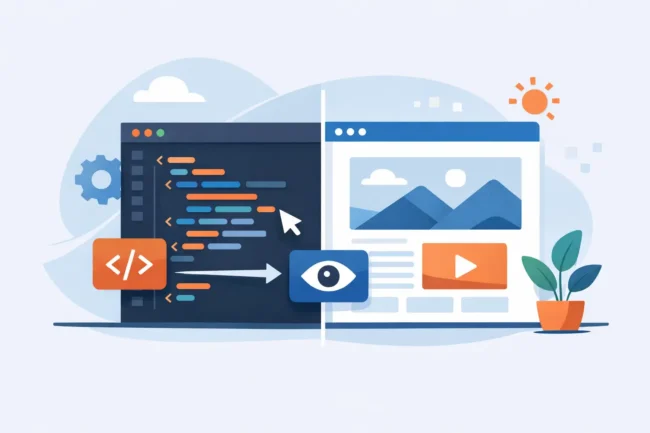
This is especially useful for people who work with fragments instead of full websites. Marketers often edit embed sections or CTA blocks. Writers and content teams may need to format simple HTML for CMS fields. Office teams sometimes paste generated code into internal systems. Students use it to test assignments or learn basic structure. In each case, the need is narrow and immediate.
Why browser-based editing is often the better option
For quick tasks, convenience usually beats power. A browser-based tool starts fast, works on most devices, and does not ask you to install anything first. That matters when you are on a shared computer, using a locked-down work machine, or moving between devices.
There is also less overhead. You are not configuring extensions, setting up project folders, or managing local files just to test a paragraph, a table, or a content block. The task stays small, which is exactly the point.
That said, an online tool is not the right choice for every job. If you are building a large site, working with multiple files, debugging scripts, or managing a framework, a full code editor will still make more sense. The browser-based option is strongest when the goal is speed, clarity, and single-task editing.
HTML editor and preview online for everyday work
The phrase may sound developer-focused, but the use cases are broader than that. A simple html editor and preview online can help with routine work that shows up across content, admin, and web publishing tasks.
A content editor might need to check how headings, links, and lists render before pasting into a CMS. An SEO specialist may want to review title structure, anchor placement, or schema-related markup snippets. A small business owner might test a simple announcement box for a website update. A support or operations team member might format internal knowledge base content.
In all of these cases, the same benefit applies. You can make a change and immediately confirm whether the output looks right. That is faster than guessing, publishing, and then fixing mistakes after the fact.
What to look for in an online HTML editor
The core requirement is simple editing paired with a clear preview. If either side is weak, the tool loses value. A good editor should let you paste code cleanly, make quick changes, and view rendered output without extra steps.
Beyond that, usability matters more than feature overload. A cluttered interface slows down the exact users who came for a quick result. The best tools are usually the ones that keep the workflow obvious: input on one side, preview on the other, and a clean path to reset, copy, or continue editing.
It also helps when the tool handles imperfect code reasonably well. Real-world HTML is often messy. It comes from email builders, page builders, AI generators, Word exports, and copied website sections. If an online editor lets you inspect and correct that code without making the process harder, it becomes genuinely useful.
When live preview saves time
Live preview is not just a convenience feature. It changes how quickly you can spot problems. Instead of editing several lines and then checking the result later, you catch issues as you go.
That matters most with structure and formatting. Lists are a common example. One misplaced tag can collapse the layout. Tables are another. So are nested elements, inline styles, and copied snippets with hidden formatting problems. Seeing the rendered result right away reduces trial and error.
It is also helpful for learning. If you are new to HTML, immediate visual feedback connects the code to the output faster. Change an h2 to an h3 and you see the difference. Wrap text in strong tags and the visual result is obvious. The learning curve becomes much more practical because each edit produces a clear outcome.
Common tasks that fit this workflow
Short-form editing is where online preview tools do their best work. Snippets for blog posts, custom content areas, email sections, tables, buttons, and basic page blocks are all good fits. So are quick cleanup jobs, like fixing copied formatting or checking whether a block of HTML is still valid enough to render correctly.
These tools also help when you are comparing versions of a small section. You can remove a wrapper, change spacing, test line breaks, or simplify markup to see what still works. That kind of fast iteration is useful when you are trying to keep code clean without spending too much time on a minor edit.
At Tool Planets, that practical, task-first approach is the point. Users are usually not looking for a full coding platform. They are trying to finish one specific job and move on.
Trade-offs to keep in mind
There is no single best tool for every HTML task. An online editor is fast, but it may not match desktop software for advanced debugging, project organization, autocomplete depth, or file management. If you need version control, integrated terminal access, or multi-file project support, you will outgrow a simple browser tool quickly.
Preview accuracy can also depend on the kind of code you are testing. Basic HTML usually translates well. But if the final output depends on external assets, scripts, frameworks, or platform-specific rendering, the browser preview may only show part of the picture. Email HTML is a good example. Something that looks fine in a browser preview may still behave differently in an email client.
Privacy is another practical consideration. If you are working with sensitive content, internal templates, or customer information, you should think about what you paste into any browser tool. For public-facing snippets and routine formatting checks, the convenience is often worth it. For confidential material, your internal process may need stricter handling.
Who gets the most value from it
Users who deal with frequent small edits benefit the most. That includes marketers adjusting content blocks, web teams reviewing snippets, students testing assignments, and office staff formatting HTML for internal systems. The common pattern is simple: they need quick verification, not a full coding stack.
This is also a strong option for people who only touch HTML occasionally. If you edit code once in a while, installing and maintaining a dedicated editor may feel like extra work. An online tool keeps the barrier low and the task focused.
Even developers can benefit from it when the job is tiny. Opening a fast browser-based editor to test a fragment can be more efficient than loading a larger project, especially when the goal is just to validate structure or confirm how a block will render.
A simpler way to test before you paste
Most HTML mistakes are small. A missed closing tag, a broken list, extra wrappers, or formatting copied from somewhere else can create avoidable problems. An online editor with preview gives you a quick checkpoint before that code reaches a CMS, landing page, or internal tool.
That is why this format keeps proving useful. It respects the size of the task. You open it, paste the code, fix what needs fixing, and move on. For everyday digital work, that is often all you need.
If your job includes small HTML edits on a regular basis, keeping a browser-based preview tool close by is a practical habit. It saves time, reduces guesswork, and makes routine code checks feel a lot less routine.
