
When you need one clean document instead of five scattered attachments, the fastest option is usually to merge PDF files online free and move on. That is especially true when the job is simple: combine invoices, join report sections, merge scanned pages, or put signed forms back into one file without opening heavy desktop software.
For most people, PDF merging is not a big production task. It is a quick fix in the middle of work. A student needs lecture notes in one file before class. An office admin needs a single packet for approval. A freelancer wants to send one organized deliverable instead of a messy thread of uploads. In those cases, speed matters more than extra features.
When it makes sense to merge PDF files online free
A browser-based PDF merger works best when the task is narrow and immediate. You already have the files, you know the order, and you just need one finished PDF. That covers a lot of real use.
Common examples include combining monthly statements, stitching together a proposal with an appendix, joining scanned receipts for expense reporting, or rebuilding a document after teammates send edits in separate PDFs. If the task happens once or twice a week, an online tool is often the most practical choice because there is nothing to install and very little setup.
It also helps when you are switching devices. If you are on a work laptop today and a personal Chromebook tomorrow, browser-based tools keep the process consistent. You do not have to learn different software on each machine.
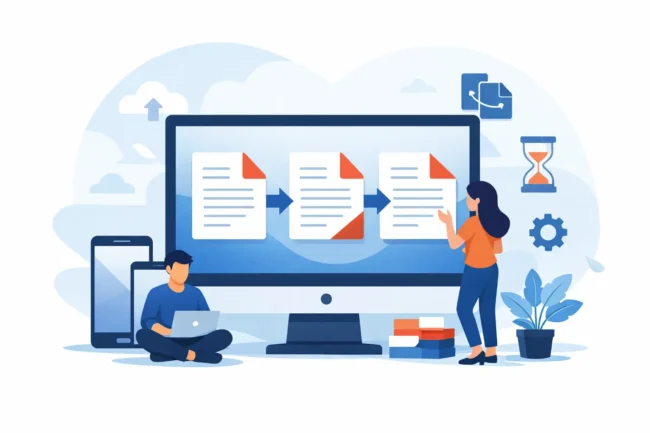
That said, online merging is not always the right answer. If you are handling highly sensitive legal, medical, or financial files with strict compliance requirements, your organization may require approved internal systems instead. If you need batch automation, advanced OCR, form field editing, or detailed PDF optimization controls, a dedicated desktop app may fit better.
What to check before you combine PDFs
The biggest time-waster is not the merge itself. It is fixing avoidable mistakes afterward.
Start with file order. If you are merging contracts, reports, or application packets, the page sequence matters more than people think. Rename files first if needed so the order is obvious before you upload anything.
Check page orientation next. Mixed portrait and landscape pages are common in exported reports and scanned files. A merge tool can combine them, but it will not always correct the layout. If a sideways page will cause trouble later, fix it before you merge.
File quality matters too. Some PDFs are text-based exports from software, while others are image scans. When you combine both types, the final document may look uneven. That is not necessarily a problem, but it is worth catching before you send the file to a client, school, or manager.
Finally, think about duplicates. If two departments send the same cover page or signature page, it is easy to include both by accident. A quick preview before merging saves a second round of cleanup.
How to merge PDF files online free without wasting time
The simplest workflow is usually the best one. Upload the PDFs, arrange them in the correct order, run the merge, and download the final file. That sounds obvious, but the quality of the result depends on how carefully you handle the middle step.
Reordering is where most small errors happen. A browser tool should let you move documents around before combining them. If it also shows page thumbnails, even better. That makes it easier to catch a misplaced attachment or an upside-down scan before the final export.
If you are combining many files, work in logical groups. For example, merge the main report first, then the appendix, then the supporting scans. This makes mistakes easier to isolate. If one section looks wrong later, you know where the issue started.
It also helps to name the finished file clearly right away. Instead of downloading something generic like merged-document.pdf, save it as Q2-sales-report-final.pdf or employee-onboarding-packet.pdf. Small habits like that keep document tasks from piling up later.
Free online PDF merging vs desktop software
For everyday users, the main advantage of free online merging is convenience. You open a browser, complete the task, and close the tab. No installation, no account setup in many cases, and no need to learn a larger platform just to combine a few files.
Desktop software has strengths too. It is often better for repeated high-volume work, advanced editing, or offline use. If your job includes reorganizing large PDFs all day, extracting pages, annotating documents, compressing files, and applying security settings, a full PDF application may save time over the long run.
But that does not mean desktop tools are automatically better. For a lot of users, they are simply more than the task requires. If your goal is to combine a few PDFs once and send the result, extra menus and licensing screens are friction, not value.
This is why lightweight browser tools continue to make sense. They match the task. Quick job, quick solution.
What matters in a good PDF merge tool
A useful merge tool should be easy to understand on the first try. The core actions should be obvious: add files, reorder them, merge them, download the result. If the interface makes those four steps clear, most users can finish the task in minutes.
Speed matters, but not just processing speed. The whole interaction should feel short. If a tool adds too many prompts, limitations, or confusing file rules, the task stops being convenient.
A good browser-based tool should also handle common file variations without drama. Users often mix exported PDFs, scanned pages, reports from different apps, and documents created on different systems. The tool does not need enterprise-level controls for every case, but it should handle normal documents reliably.
For a practical workspace, that reliability is the real feature. People are not trying to become PDF experts. They are trying to finish one task and get back to work.
Merge PDF files online free for common work tasks
This kind of tool is especially useful in admin, academic, and content workflows because those jobs create lots of small document fragments.
An office professional might combine a cover letter, quote, and terms sheet into one client-ready PDF. A student might join a title page, essay, and references before submitting. A marketer might merge a campaign brief with performance snapshots exported from multiple platforms. A small business owner might combine scanned receipts and invoices for accounting records.
These are not edge cases. They are routine digital tasks, which is exactly why the tool needs to be simple. When a task repeats often, even a small amount of friction gets expensive.
That is also where browser-based utility platforms are useful. If you already rely on quick text cleanup, list formatting, or PDF splitting in the same workspace, being able to merge documents without switching systems keeps the process moving. Tool Planets fits that practical model well because it focuses on narrow tasks that need immediate results.
A few trade-offs worth knowing
Free tools are convenient, but there can be limits. Some may cap file size, limit the number of files, or process large documents more slowly. If you are merging massive reports or image-heavy scans, performance may vary.
Formatting usually stays intact because PDFs are designed to preserve layout, but odd files can still behave unpredictably. A document exported from a niche app, for example, may not merge as cleanly as a standard PDF from Word or Google Docs.
There is also the question of sensitivity. For ordinary school, office, and personal admin tasks, online merging is often enough. For regulated or confidential records, the better decision depends on your workplace rules and the type of information involved. Convenience should not override policy.
Make the final file easier to use
Once the PDFs are combined, take ten extra seconds to review the output. Scroll through the first page, middle section, and last page. Make sure the page order is right, the orientation looks normal, and no duplicate pages slipped in.
If the final file is meant for sharing, think from the recipient’s side. Does the filename clearly describe the document? Are the most important pages at the front? If someone opens it on a phone, will the sequence make sense without explanation?
Those details are small, but they affect whether the merged PDF actually helps the next person or creates another round of back-and-forth.
A good online PDF merger should feel like a short, useful stop in your workflow, not a project of its own. If the files are ready and the task is straightforward, the fastest path is usually the right one.
